
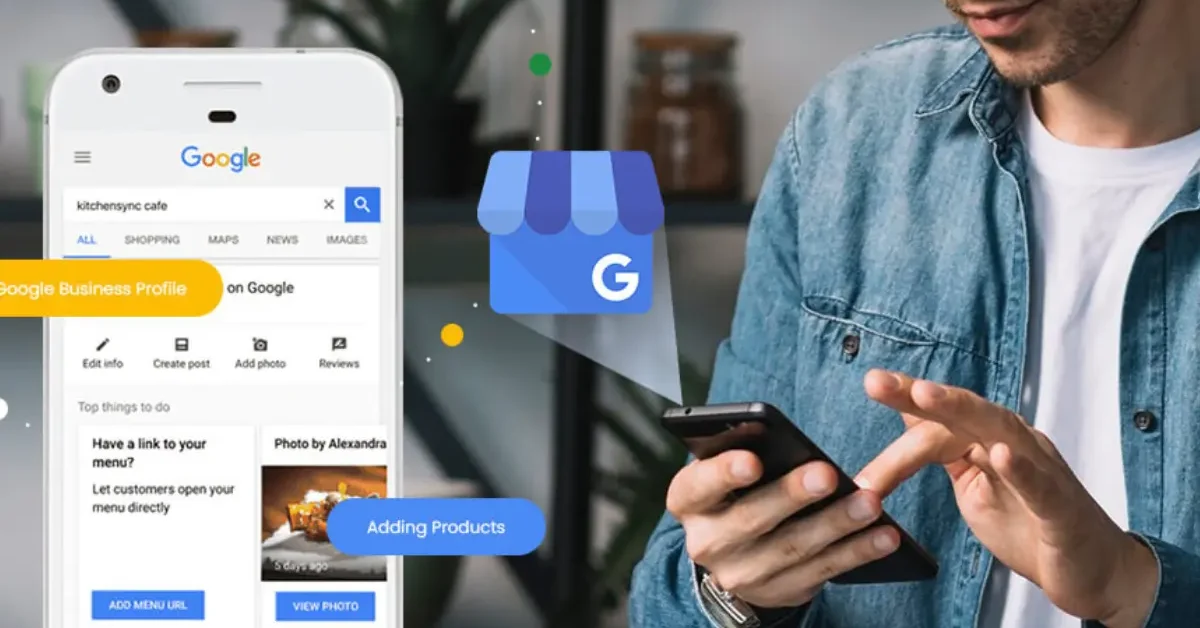
Someone searches “plumber near me” on their phone. Three businesses appear at the top of Google with their name, phone number, star rating, and a button to get directions. That entire snapshot of information comes directly from a Google Business Profile.
A Google Business Profile is a free online listing that Google provides to help businesses appear in Google Search and Google Maps. It puts your most important business details in front of people who are actively searching for what you offer. This guide covers everything from what it includes and how to set it up, to how to optimise it and make it work for your business every day.
Google Business Profile: The Basics
Google launched Google Business Profile as the updated version of the older Google My Business (GMB) tool. The name changed but the purpose stayed the same: give businesses a free, managed presence across Google Search and Maps. Most people looking for a local service will see a profile before they ever land on a website.
Your profile can appear in two key places on Google. The first is the Knowledge Panel, which shows up on the right-hand side of desktop search results when someone searches for your business by name. The second is the Local Pack, also called the Map Pack, which is the block of three business listings at the top of results for location-based searches.

Both placements drive real customer action. The Local Pack alone captures around 42% of all clicks in local search results, making it the most valuable piece of search real estate available to any local business. Getting your profile set up and maintained correctly is what gives you a genuine chance of appearing in both places.
Is Google Business Profile Free?
Is google business profile free? Yes, completely. There are no charges to create a profile, verify your business, add photos, publish updates, or respond to reviews. Every feature inside the platform is available at zero cost to every eligible business.
Google provides this tool for free because accurate business information makes their search results more useful for people searching on Google. Better results keep users on Google, which benefits the search engine, the searcher, and the businesses listed on it.

Most business types qualify for a profile. These include businesses with a physical storefront, service-area businesses that travel to customers such as plumbers or electricians, and hybrid businesses that do both. Online-only businesses that have no physical location and make no in-person customer contact are not eligible.
What Does a Google Business Profile Include?
A complete google business profile includes a significant amount of information that customers can see directly in Google Search and Maps before they click through to your website. This is why a well-filled profile is more powerful than most business owners initially realise.
Here is everything a full profile covers:
- Business name, primary category, and secondary categories
- Physical address or service area coverage
- Phone number and website link
- Opening hours and special hours for holidays or events
- A business description of up to 750 characters
- Photos and videos from your business
- Customer reviews and your written responses
- Google Posts for updates, offers, and announcements
- A Q&A section for common customer questions
- A services or products listing with descriptions
- Booking and messaging features where applicable
Each field is an opportunity for Google to match your profile to the right search queries. The more completely and accurately you fill everything in, the more searches your profile becomes relevant to.
Why Your Business Needs a Google Business Profile
The numbers make a clear case for taking this seriously. Eighty-seven percent of consumers use Google to find local businesses, and customers are 2.7 times more likely to consider a business with a complete profile to be reputable. That trust directly influences whether someone calls you or keeps scrolling.
A well-maintained profile also places you in the Google Map Pack, which is the highest-visibility section of any local search results page. Businesses that appear in those top three Map Pack positions receive significantly more calls, direction requests, and website visits than those ranked in the standard organic results below. Getting into those positions is often the difference between a busy calendar and being invisible online.
This matters just as much for trade businesses and service providers as it does for shops and restaurants. Local SEO for plumbers is a clear example of how a targeted, profile-driven local search strategy directly drives inbound enquiries for a service business. The same logic applies to any local business that depends on customers finding them at the right moment.
How to Set Up and Claim Your Profile
Setting up a Google Business Profile takes under 30 minutes from start to finish. You need a Google account to begin, and it is better to use a dedicated business account rather than a personal one. That way you can grant access to team members or an agency without sharing personal login details.
Follow these steps to get your profile live:
Step 1: Go to google.com/business and sign in with your Google account.
Step 2: Enter your business name. If a listing already exists for your business, Google will suggest it and you can claim it.
Step 3: Choose your primary business category. This is one of the most important decisions in the entire setup process.
Step 4: Add your business address or set your service area. Service-area businesses can hide their physical address and display their coverage zones instead.
Step 5: Add your phone number and website URL.
Step 6: Verify your business.
Verification is how Google confirms your business is real and operating where you claim. The most common method is video verification, where Google asks you to record a short clip showing your business premises or signage. Some businesses can verify by postcard, where Google mails a code to your address. Phone and email verification are available to certain account types.
If a listing already exists and someone else set it up, you will need to request ownership. Submit a request through the platform and the current profile manager receives a notification to approve or deny your access. Once approved, you still need to go through the verification steps before you can fully manage the profile.
The Services Section Inside Your Profile
The google business profile services section is where you detail exactly what your business offers. It sits inside your profile dashboard and is visible to customers browsing your listing on both Google Search and Maps. Filling it in properly is one of the most underused optimisation opportunities most businesses miss.
Google uses your services information to match your profile to specific search queries. A heating engineer who lists “boiler installation,” “annual boiler service,” and “central heating repair” separately will appear in far more relevant searches than one who only adds a general “heating” entry. The more specifically you describe what you do, the more precisely Google can connect your profile to customers who need exactly that.
Each service entry can include a name, a description, and a price if applicable. Write descriptions in the language your customers use when they search, not industry jargon. Businesses selling physical products use the separate Products section to add items with images, descriptions, and pricing, which effectively turns part of your Google profile into a visible mini-catalogue before the customer visits your site.
Google Business Profile Optimisation
Google business profile optimisation is not a one-time task. Google rewards profiles that are active, accurate, and regularly updated with better positioning in both Search and Maps. A profile left untouched after setup gradually loses ground to competitors who are actively maintaining theirs.
Work through this google business profile optimization checklist to build a profile that ranks and converts:
- Complete every single field in your profile. Incomplete profiles rank lower and give customers fewer reasons to choose you.
- Set one precise primary category and add two to three accurate secondary categories. Your primary category is the single most important ranking signal in your GBP.
- Write a business description that leads with your main service or value. Stay under 750 characters and use natural language.
- Upload a professional cover photo, your logo, interior and exterior shots, and real photos from your actual work. Businesses with more photos consistently see higher engagement.
- Post a Google Business update at least once per week. Treat it like a short, informative social post with a clear point or call to action.
- Respond to every review within 24 hours, both positive and negative. Response rate is a visible trust signal to potential customers.
- Pre-populate the Q&A section with the questions your customers ask most often. Write the questions yourself and answer them clearly.
- Keep your opening hours current and update special hours for bank holidays and seasonal changes.
- Add every service you offer with a detailed description using customer-facing language.
- Check your GBP Insights every month to see which searches are finding you and which actions customers are taking.
Your Google Business Profile does not work in isolation. It performs best when it is supported by a well-structured website, consistent business information across the web, and a steady flow of genuine customer reviews. Understanding what an SEO consultant can do helps you see how your GBP fits into a wider local search strategy that covers all those supporting signals together.
GBP Insights: How to Read Your Profile Data
GBP Insights is the analytics section built directly into your profile dashboard. It shows you what is working and where you are losing potential customers before they ever make contact with you. Checking it regularly makes the difference between guessing and making informed decisions.
The data shows how many people found your profile and whether they arrived through a direct search for your business name or a discovery search for your service or category. Discovery searches matter most for growth because they represent customers who did not already know you existed. A rising number of discovery impressions is a sign your optimisation is working.
You can also track specific actions taken from your profile: website clicks, phone calls, and direction requests. If your profile impressions are growing but call numbers are flat, that is a clear signal your listing needs a stronger call to action, better photos, or more compelling review content to convert browsers into paying customers.
Common Mistakes That Hurt Your Profile
The most damaging mistake is stuffing keywords into your business name field. A listing like “John’s Plumbing Emergency Boiler Repair Manchester” violates Google’s guidelines and can result in a profile suspension. Your business name field must match your real-world trading name exactly, nothing added and nothing changed.
Using a virtual office address or a PO box as your registered location is another frequent issue. Google requires that the address on your profile is a place where your business genuinely operates or receives customers. Profiles verified with fake addresses get removed when Google runs audits. A suspension wipes out all your reviews, photos, posts, and ranking history in one action.
Never treating your profile as a live asset is the third common mistake. Ignoring reviews, letting hours go out of date, and never posting updates all send weak activity signals to Google. Profiles that are actively maintained consistently outrank those that were set up correctly once and then left alone for months.
Ready to Get More From Your Google Presence?
A well-maintained Google Business Profile is one of the most cost-effective marketing tools any local business has access to. It puts your business in front of high-intent customers at the exact moment they are searching for what you offer. Getting it right from the start and maintaining it consistently is what turns it from a basic listing into a steady source of qualified leads.
If you want support building a complete local search strategy around your profile, visit Xcel Rank to see how a dedicated team approaches every campaign. Every strategy is built around your specific business goals and market, not a generic template that gets applied to every client.
You can also explore the full range of digital marketing services for your business to find out which combination of services fits your growth targets and budget. Getting the foundations right, starting with your Google Business Profile, is always the first step toward building visibility that compounds over time.
Frequently Asked Questions
Q1. What is a Google Business Profile and is it the same as Google My Business?
What is a google business profile in simple terms? It is a free listing that shows your business information on Google Search and Google Maps. Google My Business was the previous name for the same tool, which Google rebranded to Google Business Profile in 2021.
Q2. Is Google Business Profile completely free to use?
Yes, every feature of Google Business Profile is free. There are no charges for creating a profile, verifying your business, adding photos, posting updates, or responding to customer reviews. You only pay if you choose to run Google Ads separately.
Q3. How long does it take to verify a Google Business Profile?
Video verification is typically processed within a few days of submission. Postcard verification can take up to five business days for the code to arrive by post, after which you enter it in your dashboard to complete verification.
Q4. Can a business without a physical address use Google Business Profile?
Yes, service-area businesses that travel to customers can create a profile and choose to hide their physical address. You set your service areas instead, listing the towns, cities, or postcodes where you work.
Q5. How does Google Business Profile help with local SEO?
Your profile feeds directly into Google’s local ranking algorithm by providing relevance, location, and prominence signals. A complete, active profile improves your chances of appearing in the Map Pack for relevant searches in your area.
Q6. How often should I update my Google Business Profile?
Post an update at least once per week and respond to reviews within 24 hours. Refresh your photos monthly and correct your hours immediately whenever they change, especially around bank holidays and seasonal periods.
Q7. What happens if I do not respond to reviews on my Google Business Profile?
Unanswered reviews signal low engagement to Google, which can reduce your visibility in local results over time. Potential customers also notice when a business ignores feedback, and it reduces their confidence in choosing that business over a competitor who actively engages.